
A Flower Shop Keeps a Window Screen in Season With AI Visuals
Flowers change every week. Photographing them every week is impossible for a shop with one owner. Here is how a window screen went from "last spring's tulips" to visuals that follow the actual season, the holidays and the delivery offer.
This is a composite story drawn from how small businesses actually use DigiOnGo. Details are typical rather than tied to one named client, and we don't quote invented statistics.
The business
A small flower shop run by its owner with one part-time assistant, on a street corner near a market. Stock changes weekly with what the wholesaler has; there are two or three signature bouquets that are always available, and everything else is seasonal. Same-day delivery within the district is the main growth channel.
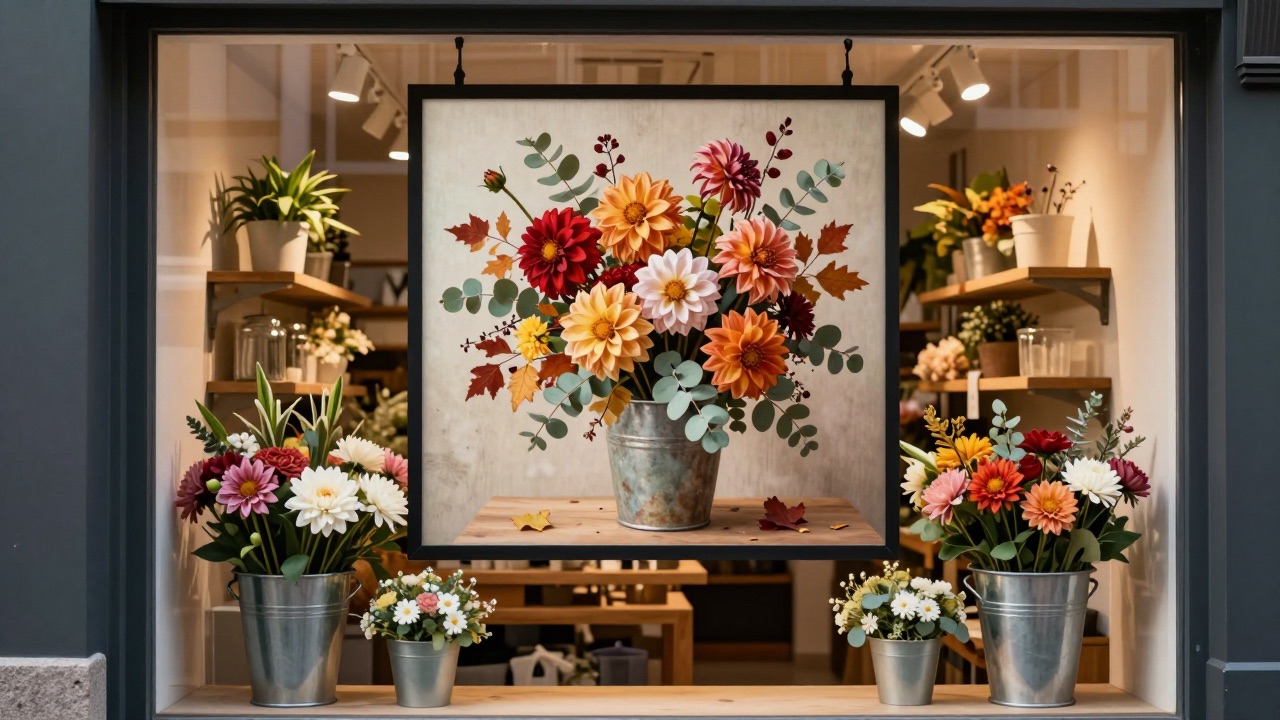
One portrait screen in the window on an Android stick with DigiOnGo, installed to replace hand-written price cards that faded in the sun. The plan was to show bouquets and the delivery offer; in practice, for most of a year, it showed the same spring photo.
The problem: the stock changes faster than any photo
Flowers are the most visual product there is, and also the hardest to keep photographed. A bouquet made on Monday is sold by Tuesday. The owner tried photographing every new arrangement on her phone; the photos were fine but the shop's back room has one fluorescent tube, and the pictures looked like it.
Stock photos of flowers exist in the millions, but the owner refused to show peonies in the window when she had dahlias in the bucket — customers walk in and ask for what they saw. A photographer for seasonal shoots was priced out of the question. So the screen showed tulips through summer and autumn.
What they tried before
- Phone photos of each new bouquet — right flowers, wrong light, and no time to do it every week.
- Stock photos — beautiful, and reliably not what was in the bucket.
- One photographer session in spring — good images that were wrong by June.
- Text-only offers — "Same-day delivery" in plain text, which nobody noticed.
The window screen, meant to turn the street corner into a shop window that changes daily, became a static spring photo with a delivery line under it. It was on, and it was ignored.
How it works now
The owner now generates the window visuals to match what's actually in stock that week. The images are not photos of her bouquets — they are pictures of the same flowers, in the same colours, in the style of her shop. That turned out to be exactly enough.
Name the flowers in the bucket
"Autumn bouquet with burgundy dahlias, orange roses and eucalyptus, kraft paper wrap" — the prompt lists what is on sale this week, in the wrap the shop actually uses.
Portrait format for the window
Everything is 9:16. Bouquets are tall; the vertical screen suits them, and the default follows the screen orientation anyway.
Generate three, keep one or two
The owner generates two or three variations of the week's bouquet and keeps the ones closest to the real thing. The rest are dismissed without affecting the daily limit.
Overlay the offer, schedule holidays ahead
"Same-day delivery in the district" is a permanent overlay. Holiday slides — Valentine's, Mother's Day, 1 September — are generated a week ahead and scheduled to appear automatically.
Prompts they actually use
The prompts change every week with the stock, but the pattern is constant: flowers, colours, wrap, background, light.
“Autumn bouquet with burgundy dahlias, orange garden roses and eucalyptus, wrapped in kraft paper, standing on a wooden table, soft daylight, florist shop atmosphere”
This week's bouquet slide. Regenerated when the wholesaler's delivery changes.
“Elegant bouquet of white peonies and pale pink ranunculus in white paper, light background, romantic soft light, minimal composition”
The signature bouquet that is always available — one image, kept all year.
“Bright bouquet of sunflowers and asters with a small school-themed ribbon, cheerful morning light, florist table, September atmosphere”
The 1 September slide, generated in mid-August and scheduled for the last week of the month.
The routine
Wednesday, after the wholesaler's delivery, the owner spends about ten minutes generating the week's bouquet visual and swapping it into the window playlist. The permanent slides — signature bouquet, delivery offer, opening hours — stay as they are.
Holidays are handled in one sitting a few weeks ahead: generate the visuals, add the overlay, schedule the dates. The screen changes on the right morning without anyone touching it.
What changed
A one-person shop doesn't track conversion. What the owner notices is what customers say when they walk in.
| Before | Now |
|---|---|
| Spring tulips in the window until November. | This week's flowers in the window, matching what's in the bucket. |
| Customers asked for bouquets that weren't in stock — because the screen showed them. | Customers point at the screen and ask for "that one" — and it's there. |
| Holiday promos went up late or not at all. | Holiday slides generated and scheduled weeks ahead. |
| Delivery offer as plain text, unnoticed. | Delivery offer as an overlay on a bouquet people actually look at. |
Tips that came out of it
- List the flowers by name and colour. "Burgundy dahlias" beats "autumn flowers" every time.
- Mention your wrap. Kraft paper, white paper, ribbon — the wrap is what makes it look like your shop.
- Generate variations and keep the closest. Two or three attempts cost a minute; failed ones don't count.
- Schedule holidays in advance. The screen should change on the morning of the day, not when you remember.
- Keep one permanent slide for your signature bouquet so the loop always has an anchor.
Where it doesn't help
A generated bouquet is a picture of the flowers, not of your hands' work. For custom, high-value arrangements — weddings, events — the shop still uses real photos taken on a good day, and says so.
Prices belong in the overlay. Flower prices change weekly with the wholesaler; the image stays, the number changes in the playlist.
Put this week's flowers in your window
AI Image Generator is included in every DigiOnGo plan. Describe what's in the bucket, pick portrait, and your window screen is in season again in about a minute.
Related Articles
How a Small Coffee Shop Makes Its Own Screen Ads With AI
A 30-seat coffee shop with no designer keeps its menu screen and window display fresh every week — prompts, routine, and what actually changed.
A Two-Chair Barbershop Fills Its Window Screen With AI Visuals
A two-chair barbershop replaced a static window poster with a vertical screen — and fills it with AI-generated visuals for services, promos and slow-hour offers.
A Small Dental Clinic Runs Calm Waiting Room Screens With AI
A three-dentist clinic replaced TV news in the waiting room with calm, on-brand AI-generated visuals and service information — no agency, no stock photos.