
A Two-Chair Barbershop Fills Its Window Screen With AI Visuals
The owner cuts hair eight hours a day. He does not have a marketing hour. Here is how a portrait screen in the window went from a poster that never changed to a rotating set of visuals for services, walk-in slots and slow Tuesday offers.
This is a composite story drawn from how small businesses actually use DigiOnGo. Details are typical rather than tied to one named client, and we don't quote invented statistics.
The business
A two-chair barbershop on a side street with decent foot traffic: the owner and one barber, both fully booked on Friday and Saturday, both half-empty on Tuesday afternoons. Most bookings come through a messenger; most new clients come because they walked past.
The shop had a printed poster in the window listing services and prices. It was replaced by a 32-inch portrait screen on an Android stick running DigiOnGo, because the poster had been out of date since the last price change and nobody wanted to pay for another print run.
The problem: a screen that needs a designer
The screen solved the price-list problem in a day: prices are a text slide, edited from a phone. Everything else stalled. The owner wanted the window to look like a barbershop Instagram — close-ups of fades, beard work, a moody chair-and-mirror shot — because that is what stops people on the street. He had none of these images.
Photographing clients means asking permission, catching good light and finding time between appointments. Stock barber photos are the same five models every shop uses. A designer friend made three slides once, then got busy. So the window screen showed prices and one dark logo slide, which is arguably worse than the old poster.
What they tried before
- Phone photos of clients — a few good ones, but inconsistent, and half the clients said no.
- Stock photos — the same faces as the barbershop three streets away.
- A designer friend — three good slides, then nothing for months.
- Text-only slides — accurate, invisible from the pavement.
The screen was on ten hours a day showing a price list. Passers-by don't stop for a price list. The Tuesday chairs stayed empty, and the owner's plan for a "Tuesday walk-in discount" never made it to the window because there was no visual to hang it on.
How it works now
The AI Image Generator lives in the same DigiOnGo dashboard the owner already uses from his phone between clients. That matters: the whole workflow happens in the ten minutes after a haircut, standing at the counter.
Describe the cut
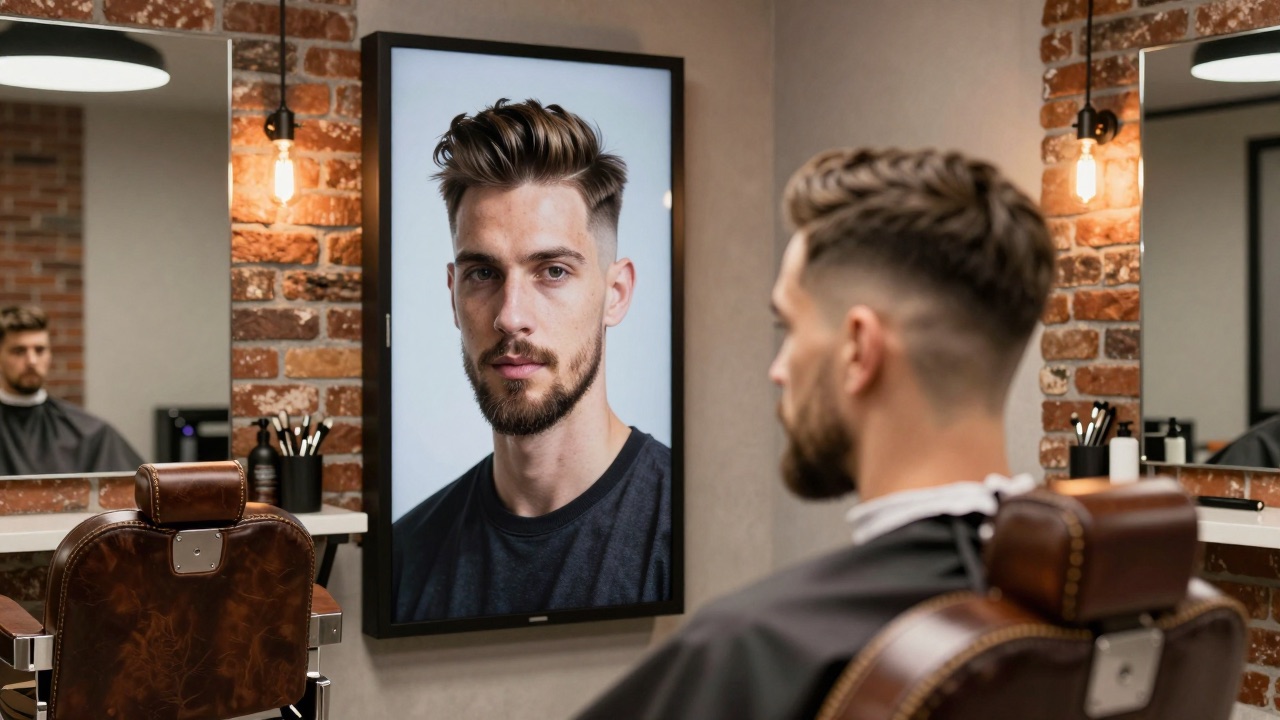
"Close-up of a man with a clean skin fade and shaped beard, barber chair, dark moody lighting, professional barbershop photography." The owner writes it the way he'd describe the cut to a client.
Portrait format, always
The window screen is vertical, so every prompt is generated at 9:16. The generator's default follows the screen orientation, so this is one click.
Straight into the "Window" folder
Generated images land in the folder the window playlist reads from. No download, no phone gallery, no transfer.
Overlay the offer, schedule it
"Walk-ins welcome — Tue & Wed, 20% off" is a text overlay on top of the image. The slide is scheduled for Tuesday and Wednesday 12:00–17:00 only, so it disappears when the chairs are busy anyway.
Prompts they actually use
The owner keeps a note on his phone with a handful of prompts and swaps a word or two. These three run most of the time.
“Close-up portrait of a man with a sharp skin fade and neatly shaped beard, sitting in a leather barber chair, dark moody lighting, exposed brick wall, professional barbershop photography”
The default "we do fades" slide in the window loop, all day.
“Barber applying hot towel to a client's face, steam rising, warm Edison bulb light, vintage barbershop atmosphere, cinematic close-up”
Hot-towel shave promo. Runs Thursday to Saturday when the service is offered.
“Empty vintage barbershop interior in the afternoon, two leather chairs, sunlight through the window, calm and inviting atmosphere”
Background for the Tuesday walk-in offer. The empty chair is the message.
The routine
There isn't a fixed day. When the owner thinks of an offer — a slow week coming, a new product on the shelf, a holiday — he generates one image between clients, drops it into the playlist with an overlay and schedules it. Ten minutes, standing up, from the phone.
Once a month he replaces the two "always on" images so regulars don't see the same face for a year. Same prompt, a different detail: a different beard, a different lighting word.
What changed
A two-chair shop measures success in whether the chairs are busy. Here is how the owner describes it.
| Before | Now |
|---|---|
| Window screen showed a price list and a logo. | Window loop with four to six visuals: services, current promo, slow-hour offer. |
| Offers stayed in the owner's head because there was nothing to put them on. | An offer goes from idea to the window in ten minutes, and is scheduled to the hours it matters. |
| Tuesday afternoons: empty chairs and no way to say so to the street. | A Tuesday/Wednesday walk-in slide that runs only when the chairs are actually free. |
| Every visual depended on someone else's free time. | The owner makes everything himself, from the phone, between clients. |
Tips that came out of it
- Name the cut. "Skin fade", "textured crop", "shaped beard" — the model knows barber vocabulary better than "nice haircut".
- Say "dark moody lighting" or "warm Edison bulbs" — barbershop images live or die on the light.
- One person per image. Crowded scenes look like stock; a single portrait looks like a real shop.
- Use the empty chair. An empty, well-lit chair is the best background for any "walk in now" offer.
- Schedule slides to hours, not days. A slow-hour offer that also runs on Saturday morning just annoys people waiting.
Where it doesn't help
The generated barber is not your barber. Regulars know the owner's face; the images are about the craft and the mood, not about pretending to be him. The shop keeps one real photo of the two of them in the loop for exactly this reason.
Prices and phone numbers stay in overlays. Anything that must be read from three metres away goes on as text in the playlist, never inside the generated picture.
Put something in your window this week
AI Image Generator is included in every DigiOnGo plan. If you have a screen and a phone, you have everything you need to generate your first promo between two clients.
Related Articles
How a Small Coffee Shop Makes Its Own Screen Ads With AI
A 30-seat coffee shop with no designer keeps its menu screen and window display fresh every week — prompts, routine, and what actually changed.
A Small Dental Clinic Runs Calm Waiting Room Screens With AI
A three-dentist clinic replaced TV news in the waiting room with calm, on-brand AI-generated visuals and service information — no agency, no stock photos.
A Flower Shop Keeps Its Window Screen in Season With AI Visuals
A one-owner flower shop with weekly-changing stock keeps its window screen in season with AI-generated bouquets, holiday promos and delivery reminders.